Roadmap
Where Topicweave is headed.
Five phases, in order. Every screen below is a working prototype you can click through today. Beta sites help decide what gets built first.
Phase 0 · Now
The groundwork.
Sign-in, a workspace for each site, and the connections everything else stands on: your CMS and Google Search Console.
See Connections in the prototype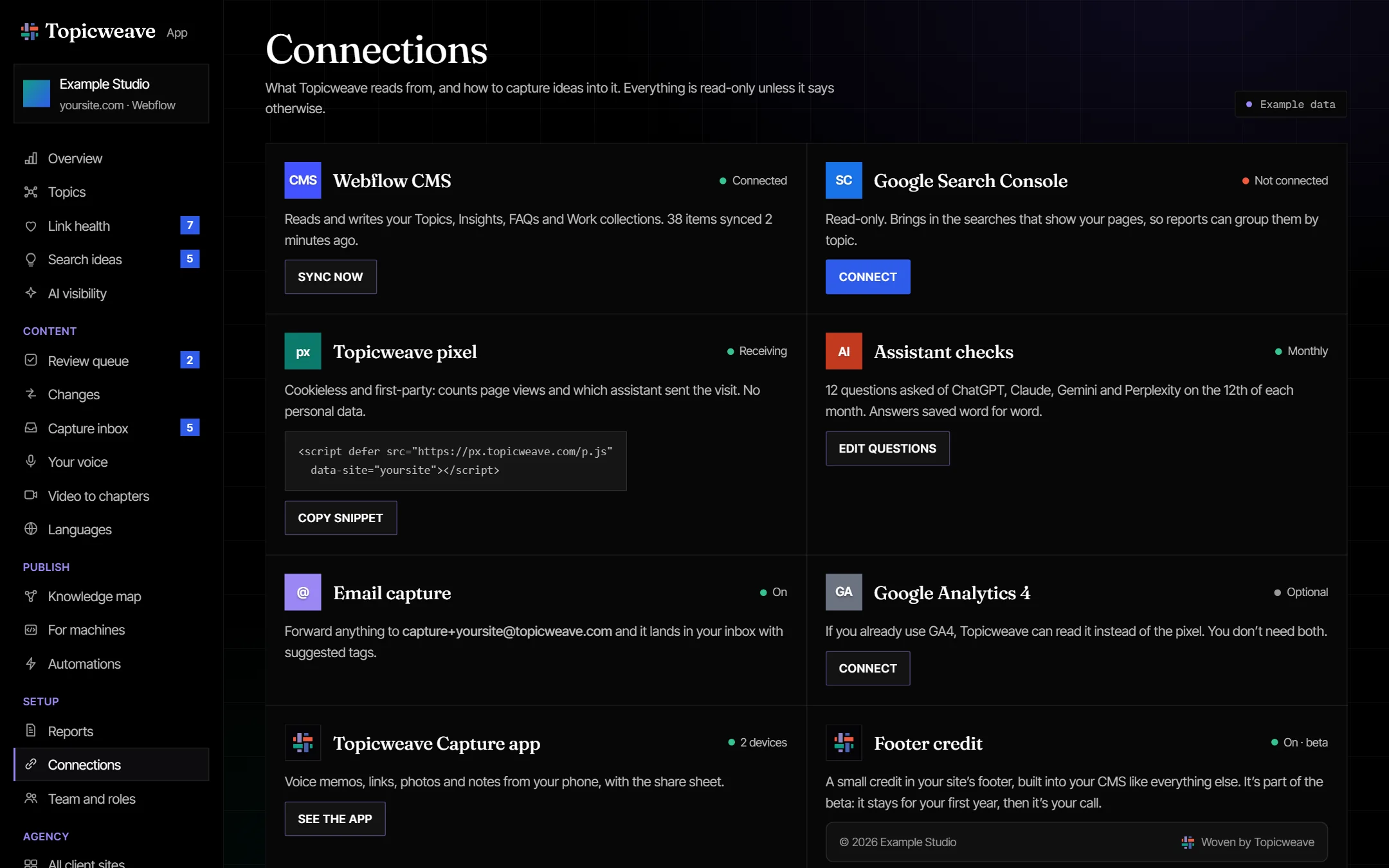
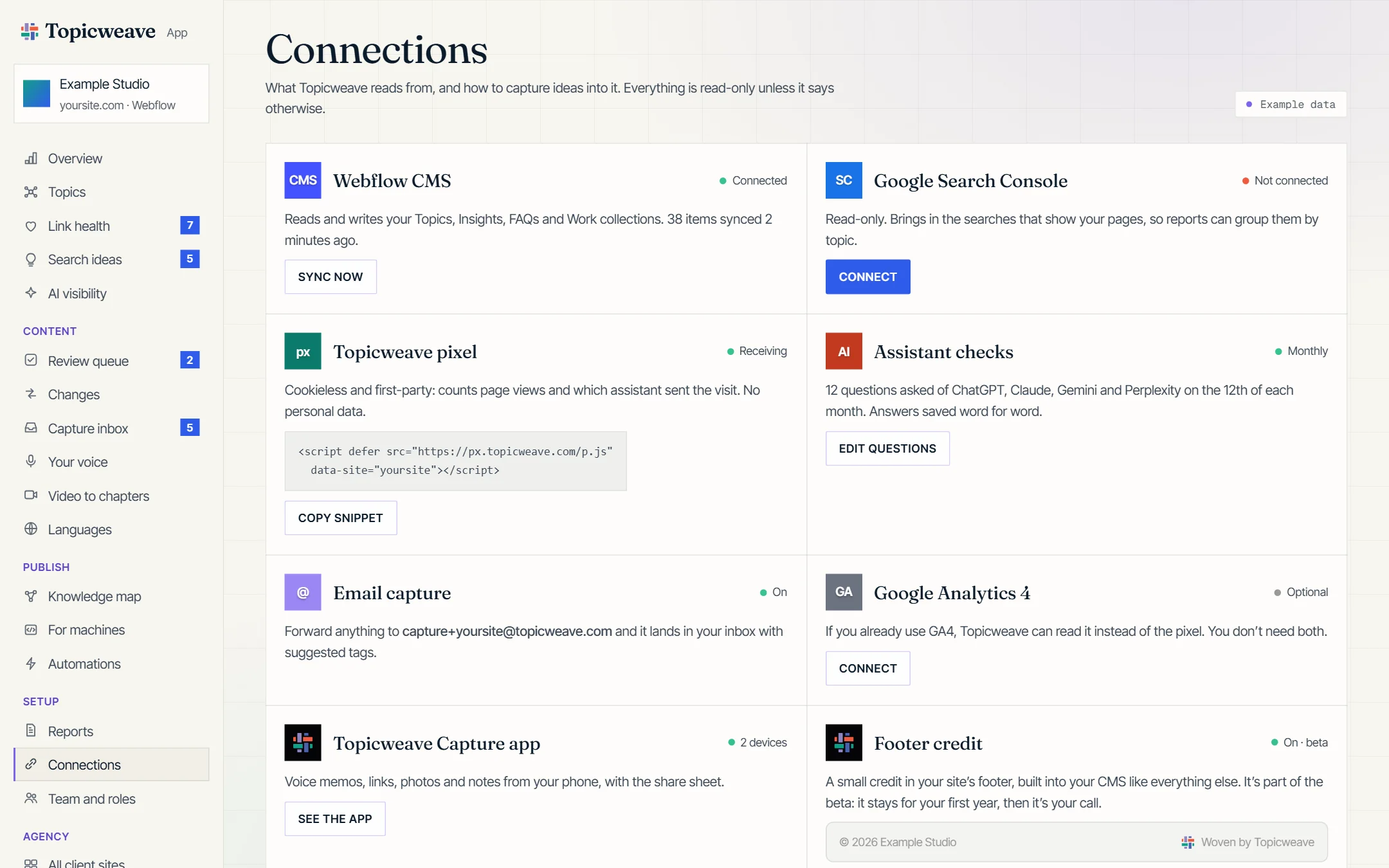
Connections. Link your CMS and Google Search Console once; Topicweave reads both from then on.
Phase 1 · With the first beta sites
Prove it works.
Your vocabulary imported from the site, link health checked every night, your terms linked where they first appear (with a short definition on hover), Search Console grouped by your topics, and a plain-language email on the 1st.
See Topics in the prototype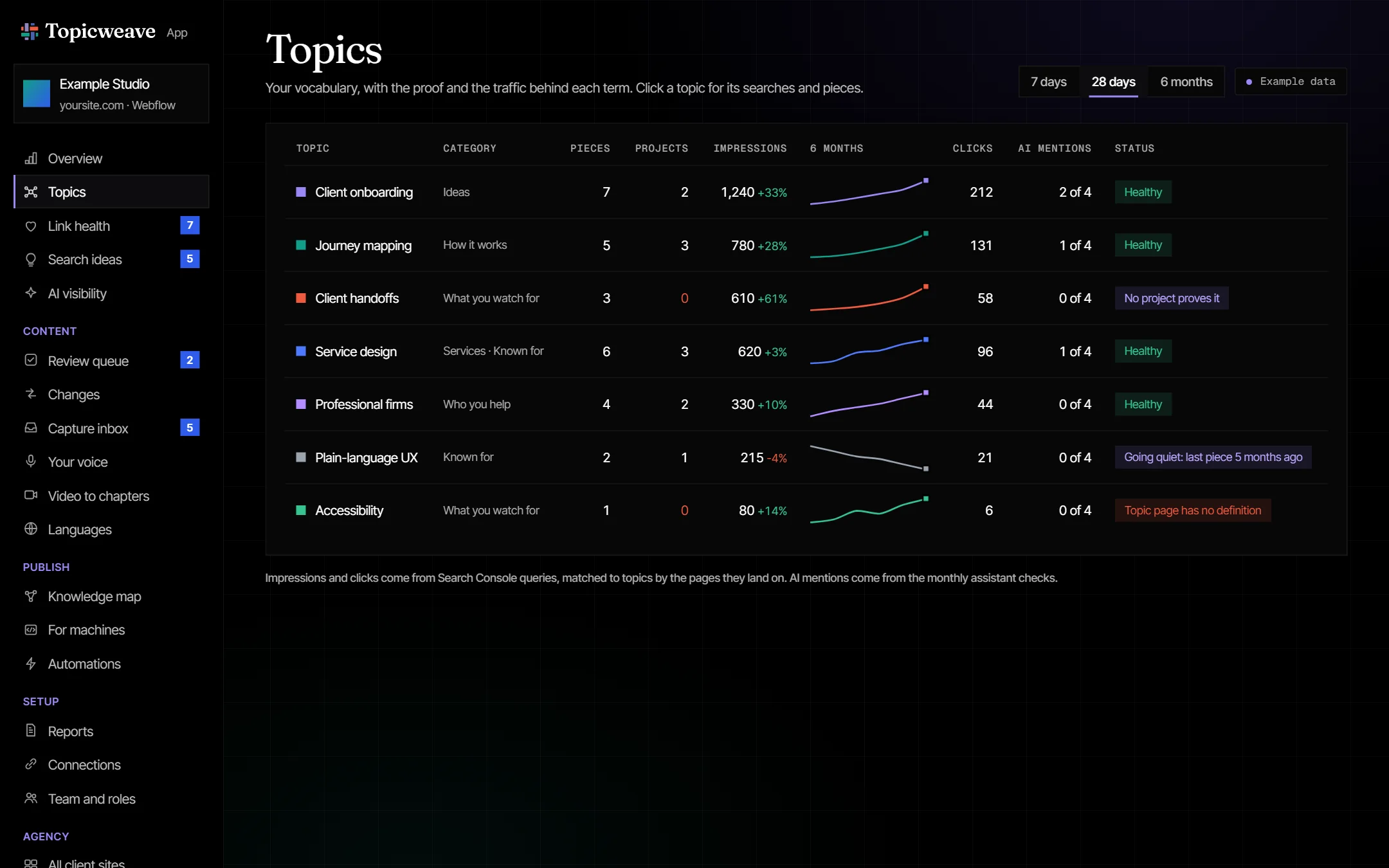
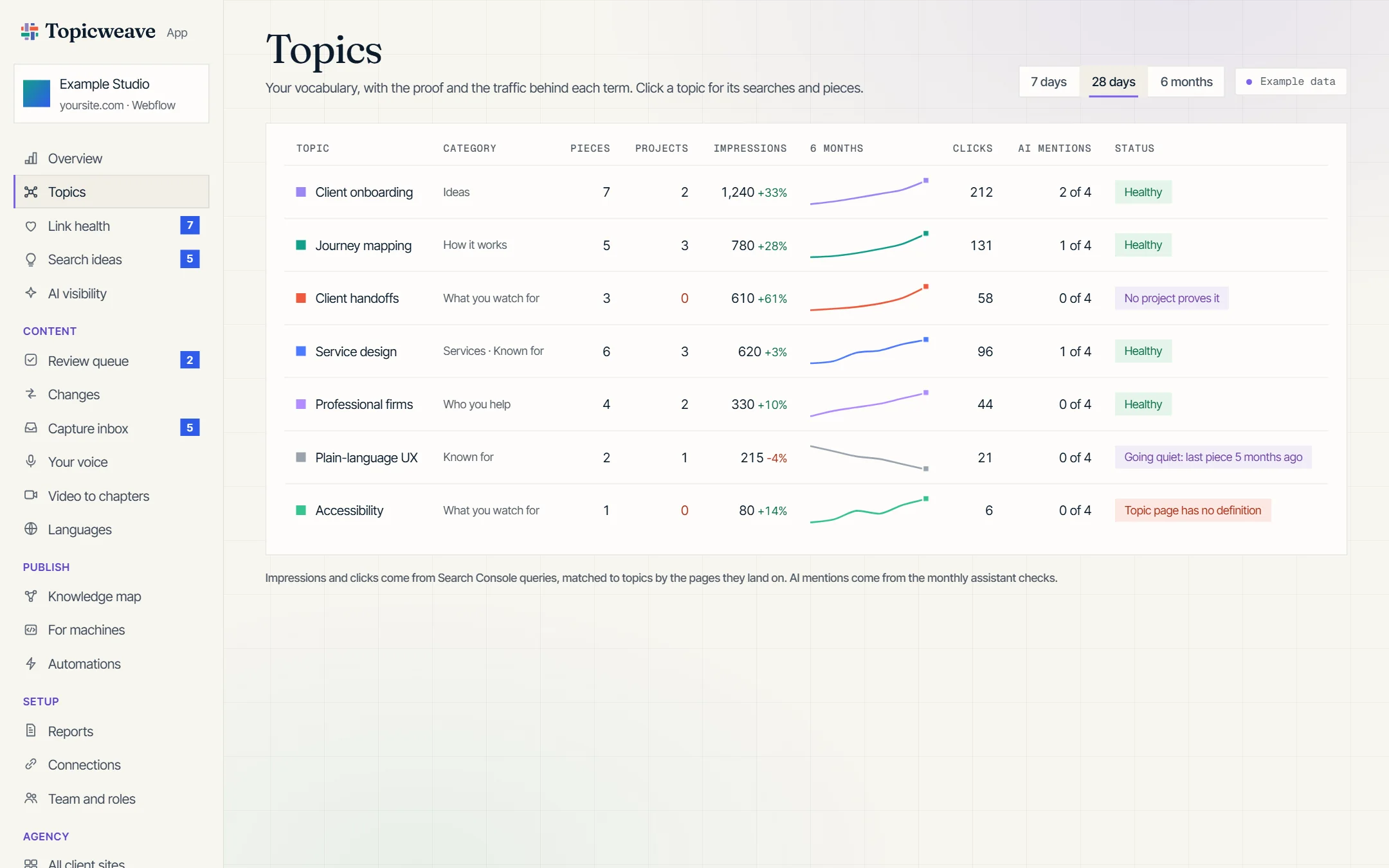
Topics. Searches and pieces grouped by your own vocabulary, with what’s growing and what’s missing.
Phase 2
Keep the library growing.
A review queue with a before and after and one-click undo, drafts in your voice from the Voice Kit, suggested connections between pieces that share a topic (so each project lists the writing about it), search ideas, and capture by email.
See the review queue in the prototype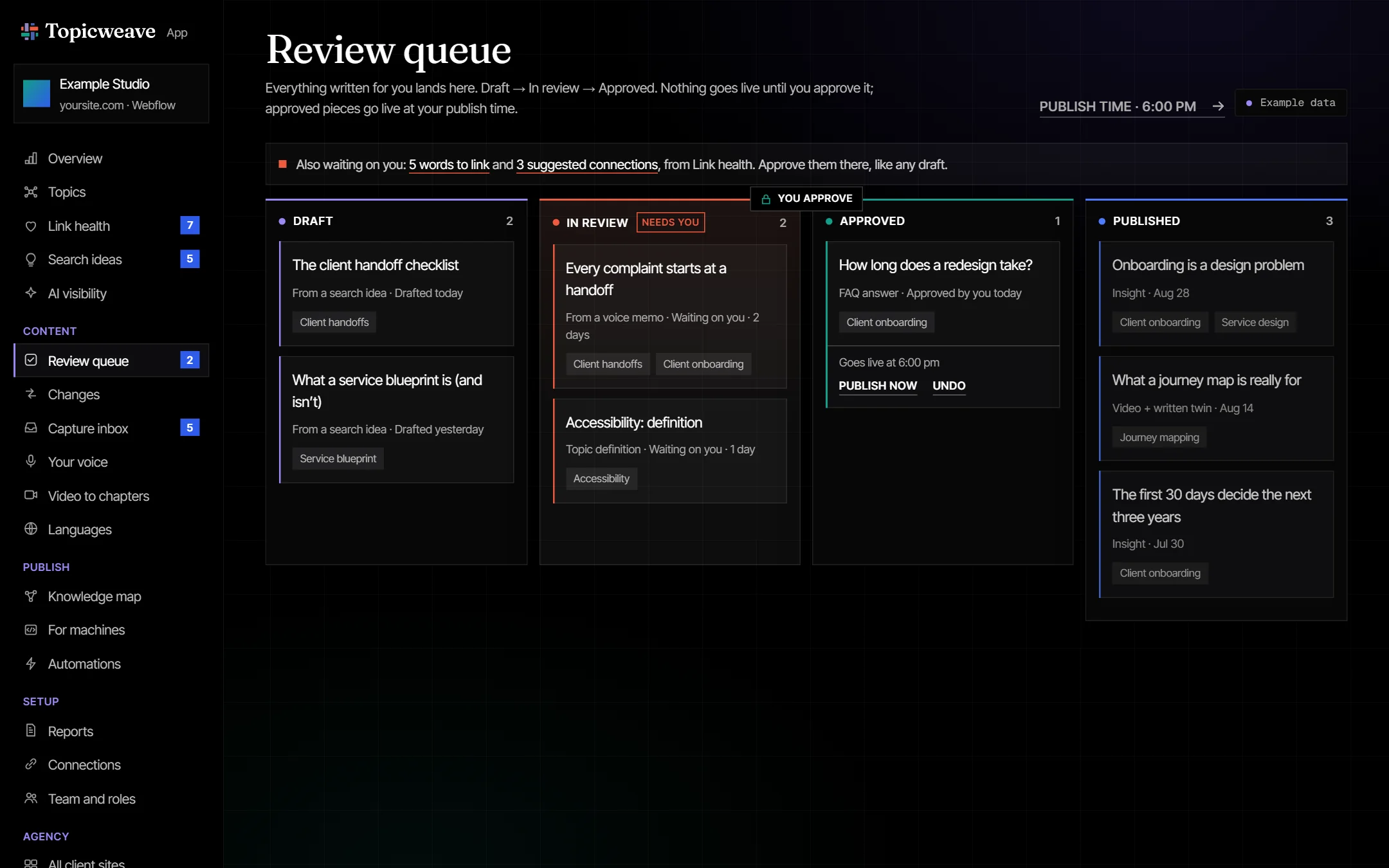
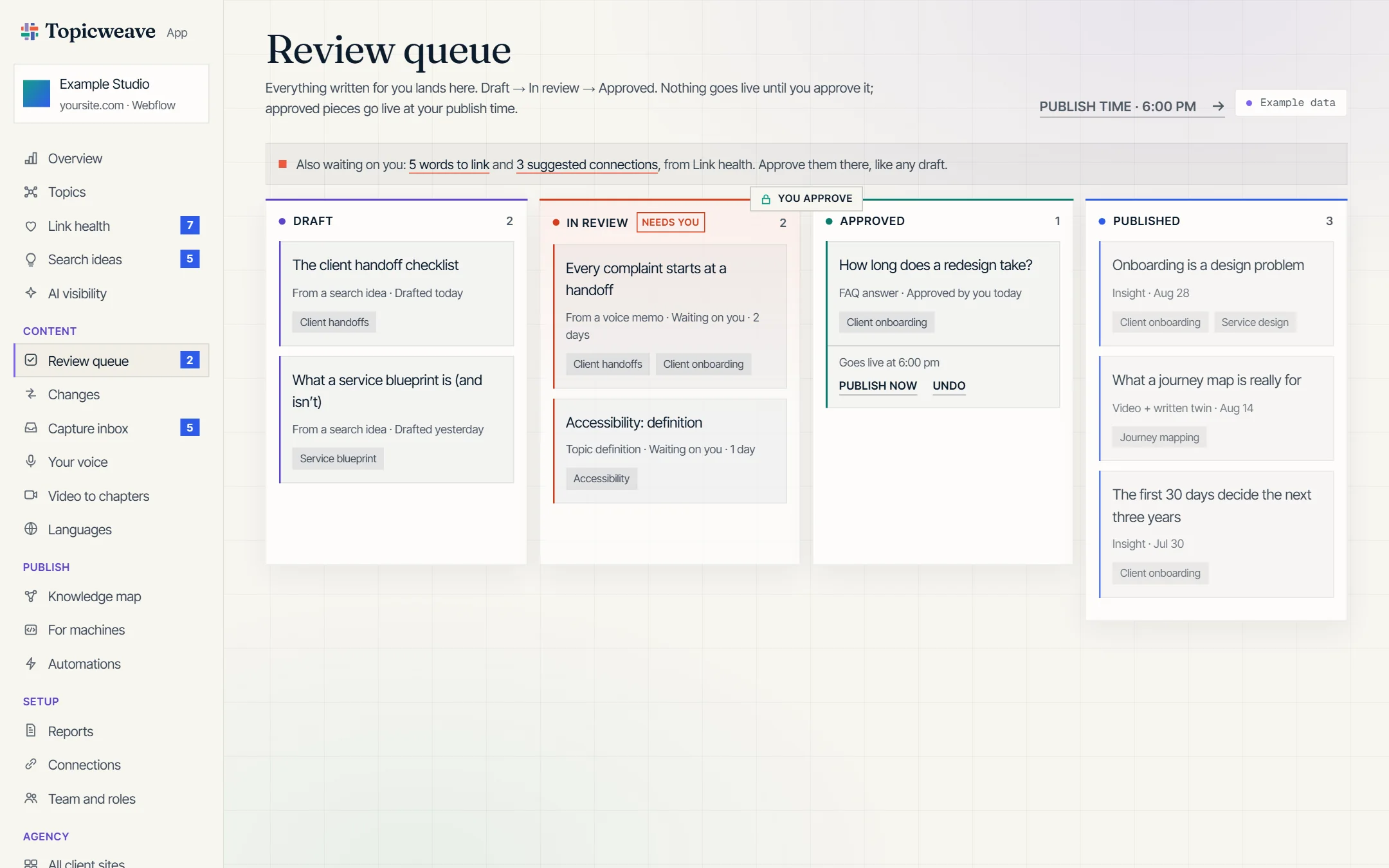
Review queue. Every draft moves from Draft to In review to Approved. Nothing goes live until you approve it, and then at your publish time, with Publish now and Undo on its card.
Phase 3
See what assistants see.
A cookieless counter for visits sent by AI assistants and a monthly assistant sample. Plus Topicweave Capture on your phone.
Try the phone prototype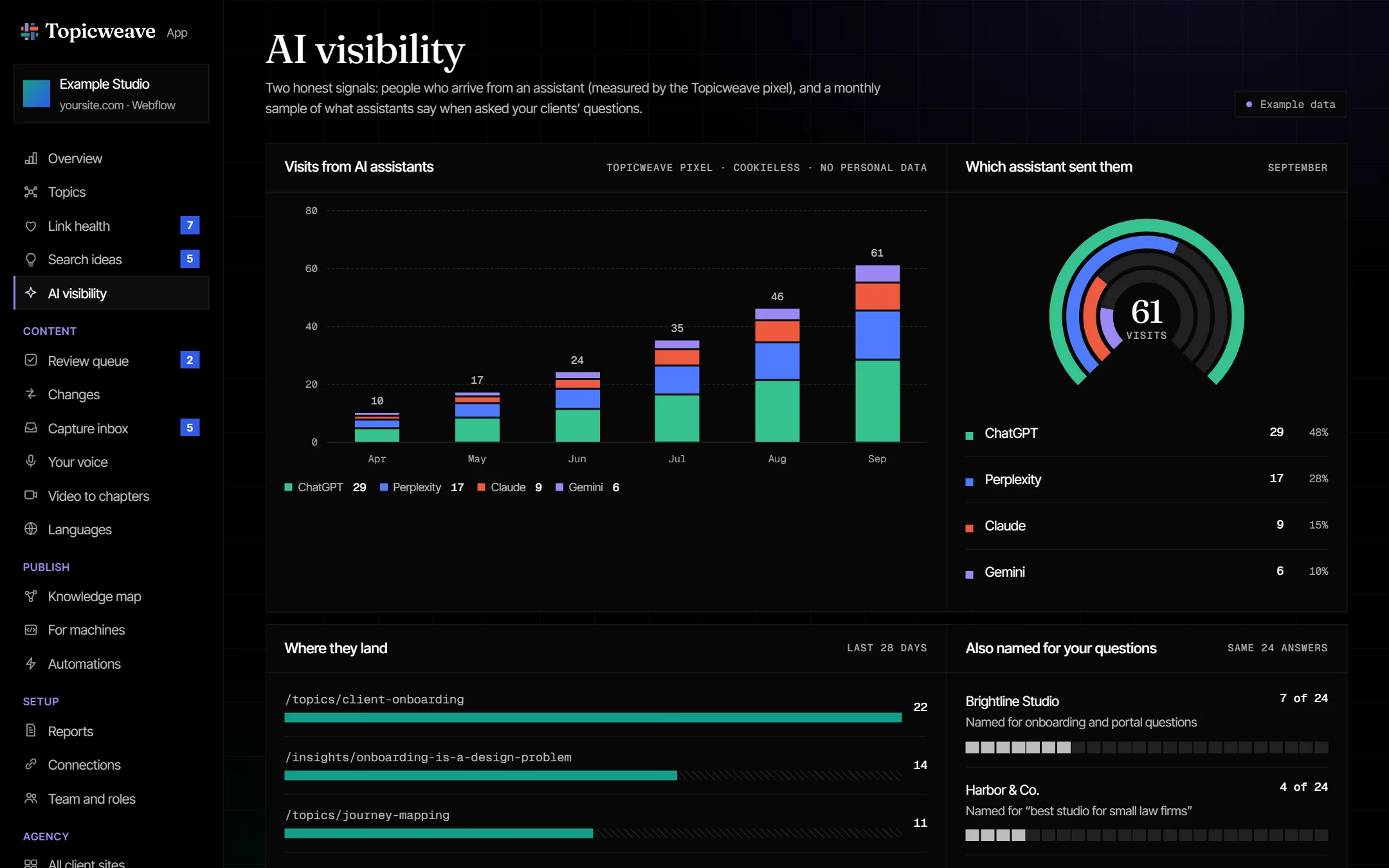
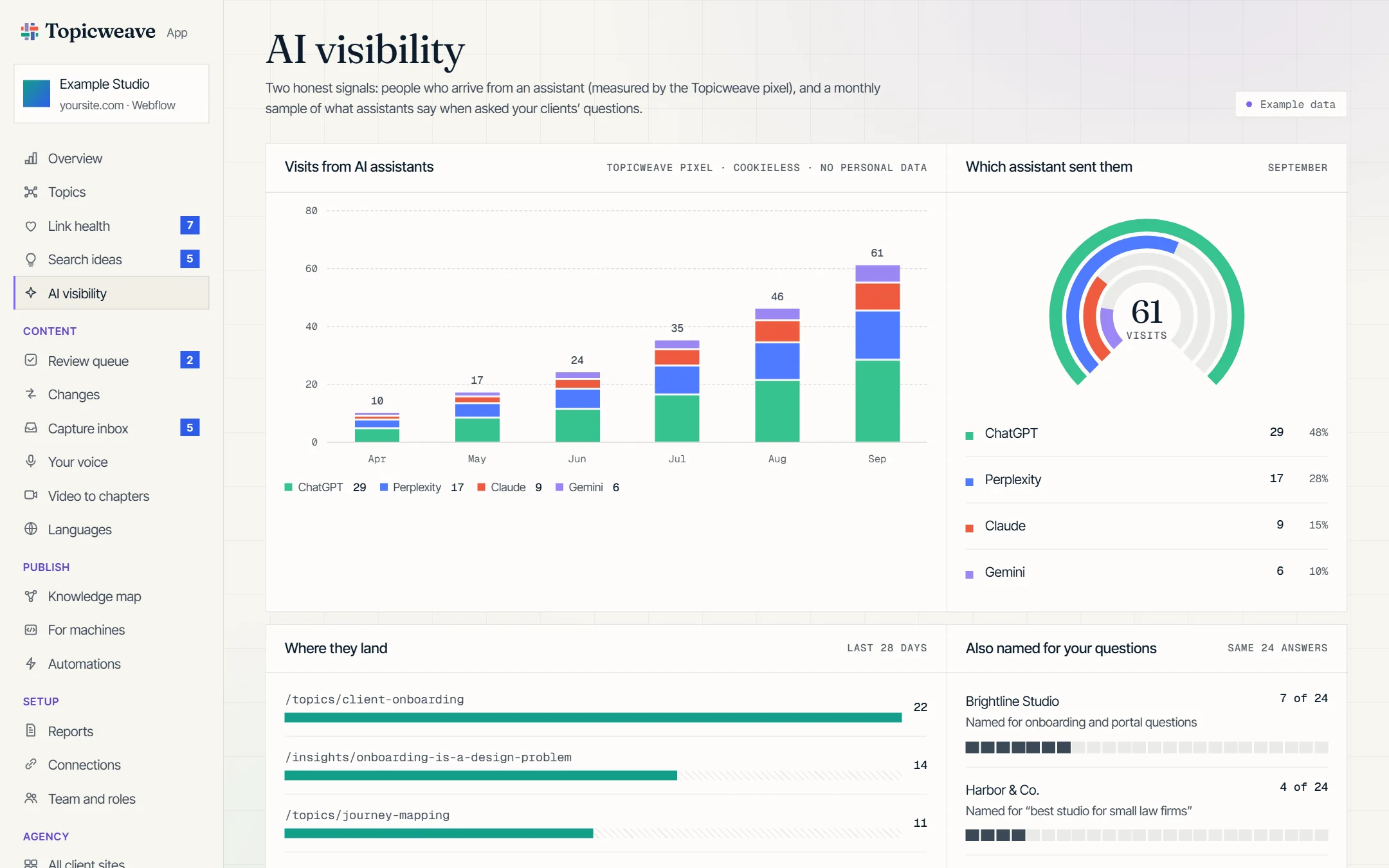
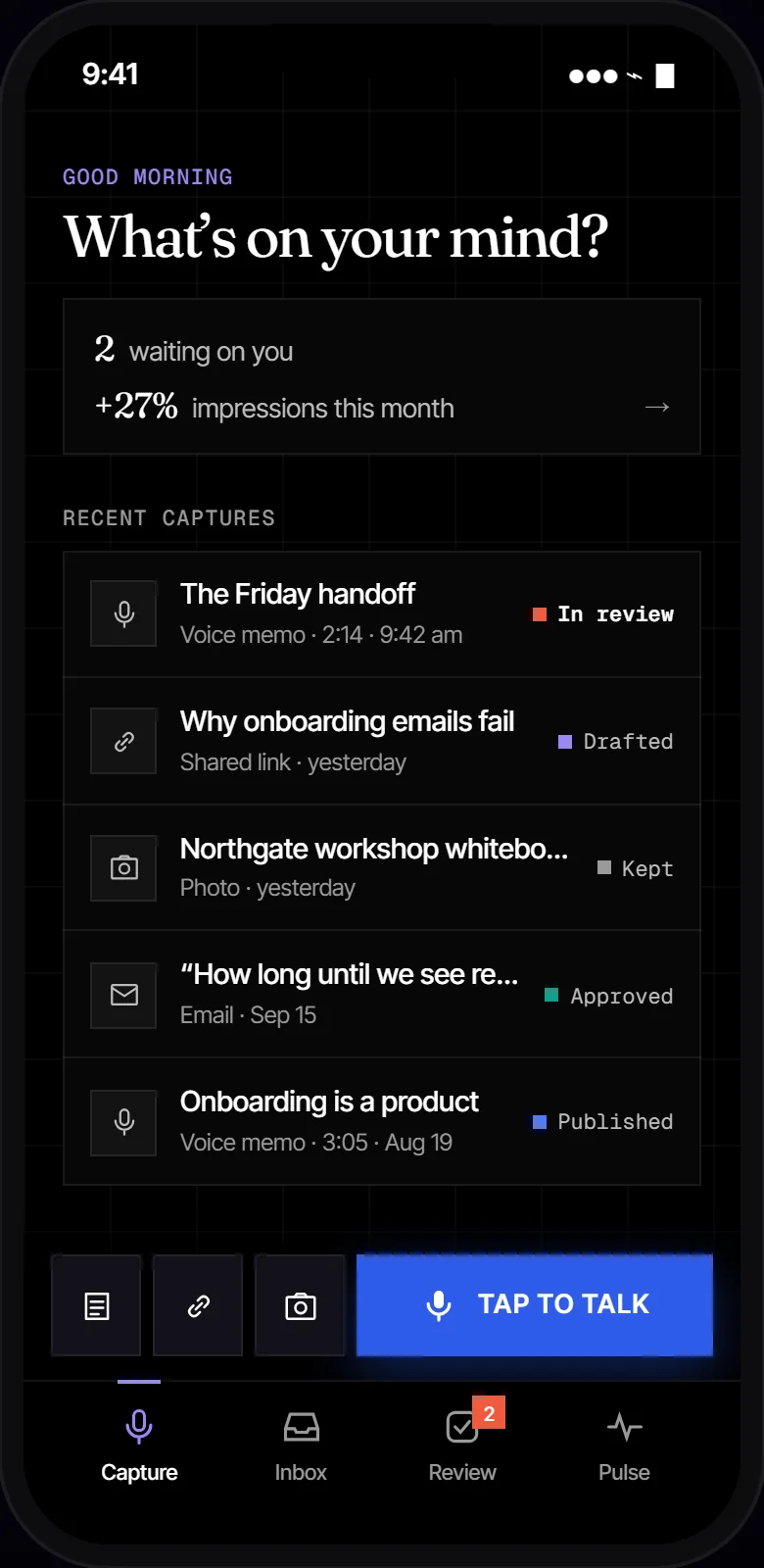
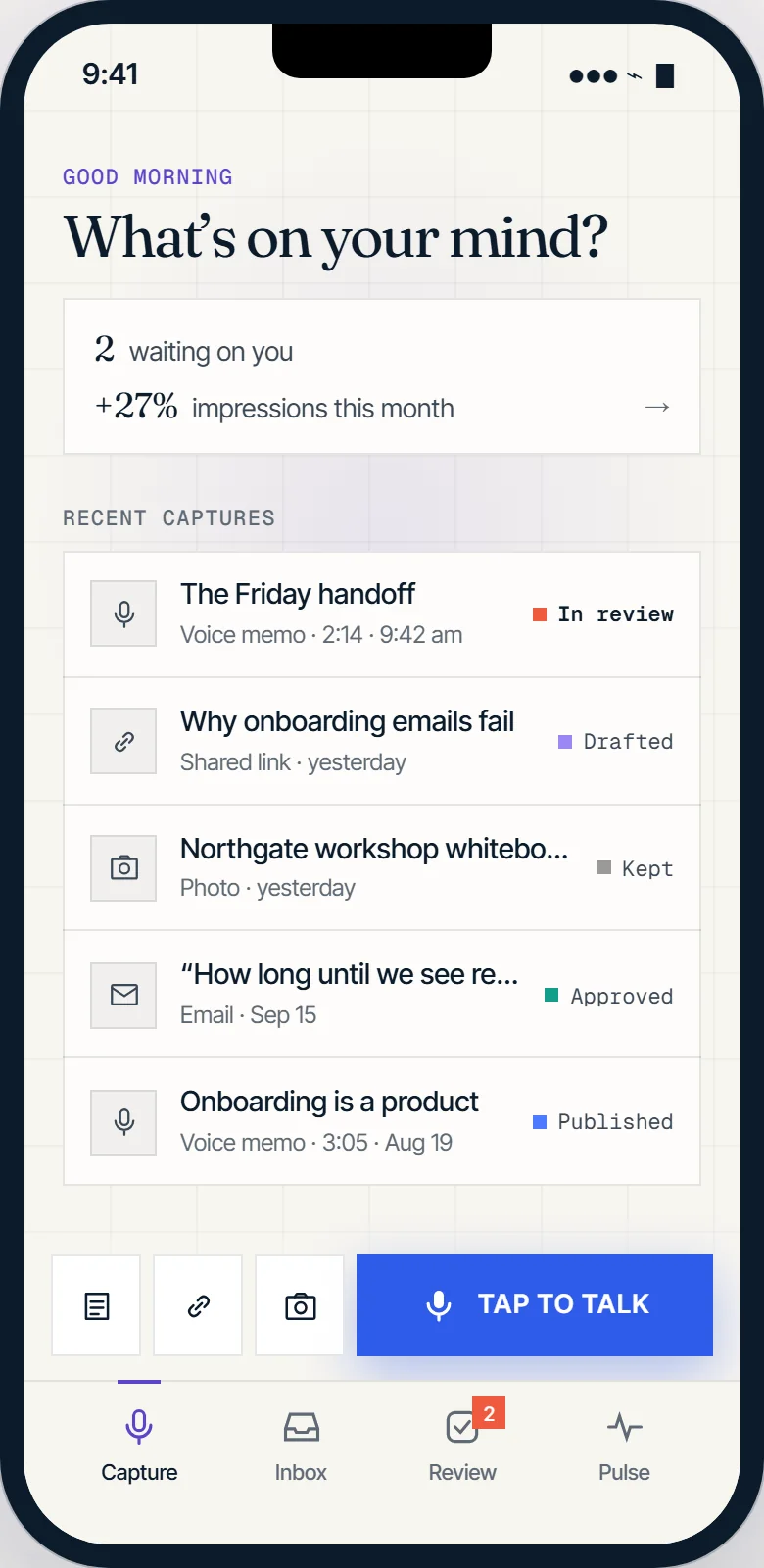
AI visibility. Visits sent by AI assistants and the monthly check of what they say. Inset: Topicweave Capture on a phone.
Phase 4
Beyond one site.
The panel inside your CMS editor, a WordPress connector, and one login for agencies running Topicweave for their own clients.
Try the panel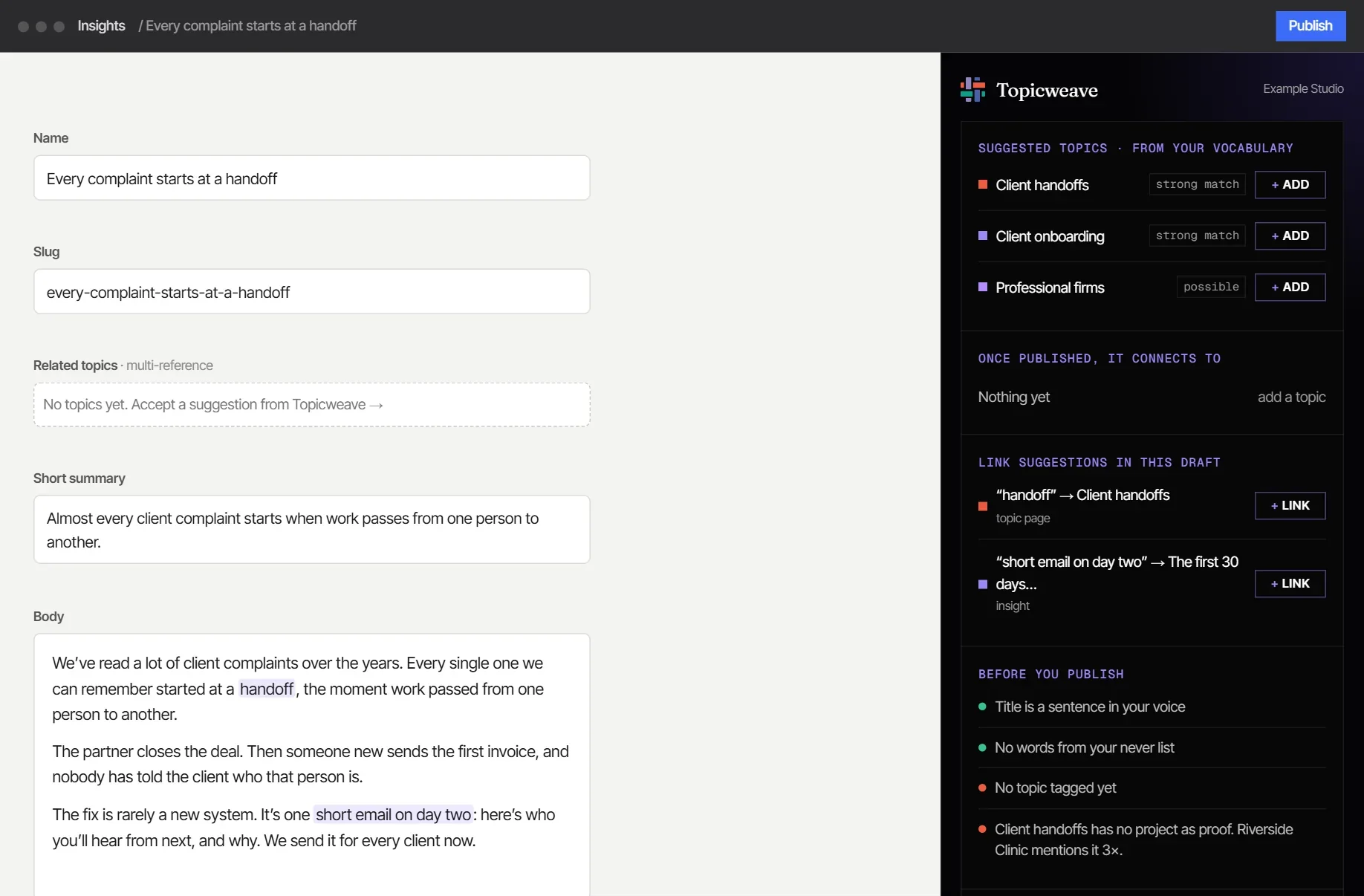
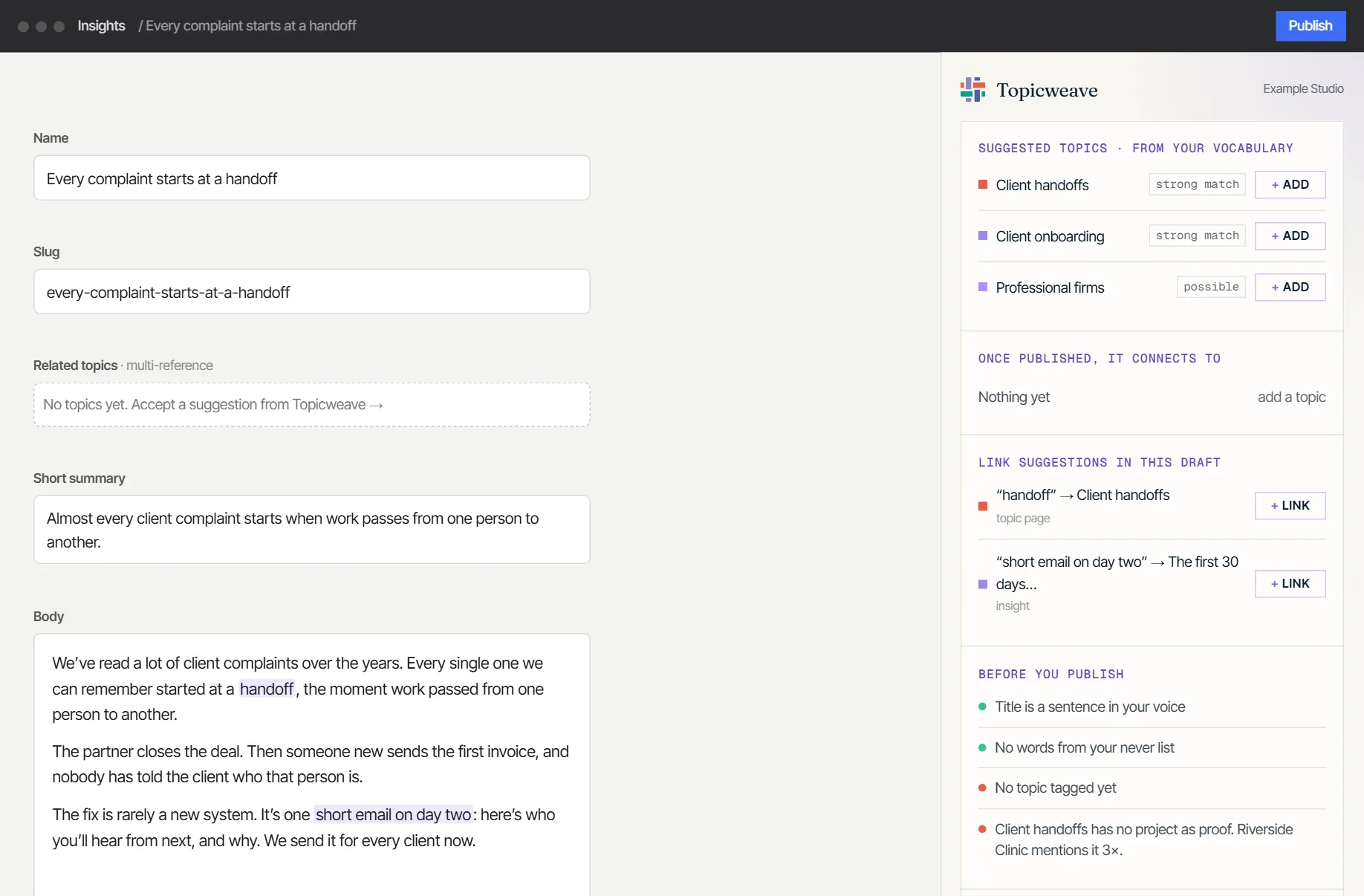
The panel in your CMS. Suggested topics and links appear beside the editor while you write.
Ideas on the list
Things we’d like to add.
Ideas that came up while building Topicweave. Not all of them will make it into the final product, and the order isn’t set yet.
- Before and after for link fixesSee exactly what a suggested link fix changes before you approve it.
- A voice for each authorDrafts written in the voice of whoever’s name is on them, with a house voice for everything else.
- “Tell us” inside the appSay or type what went wrong; Topicweave turns it into a clear report for you to check and send.
- Help choosing your topicsNot sure what you want to be known for? We suggest terms from your searches, your field and your own writing, with the reason for each.
- On brand without a design systemWe read your site’s real fonts, colors and spacing, so new pages match even if your site was never set up with them.
- Use it from Claude or ChatGPTAsk your AI assistant about your topics, drafts and reports, and act on them, without opening the dashboard.
- A tap-to-talk widgetOne button on your phone’s home screen: tap it and you’re recording. When you stop, the memo lands in your drafts, where you can approve it, save it for later or delete it.
- Checked in the real AI appsAn optional upgrade that checks the actual ChatGPT, Claude, Gemini and Perplexity apps, not just their APIs.
Suggest a feature
What would make Topicweave more useful on your site? A sentence or two is plenty.
Idea received
Thanks, it’s with us.
This is a demo, so nothing was sent. On the real site it goes straight to us, and we read every one.
Shape what comes first
Beta sites help set the order.
Tell us which of these would matter most on your site. The install comes first, at a beta price, and your feedback decides the rest.